
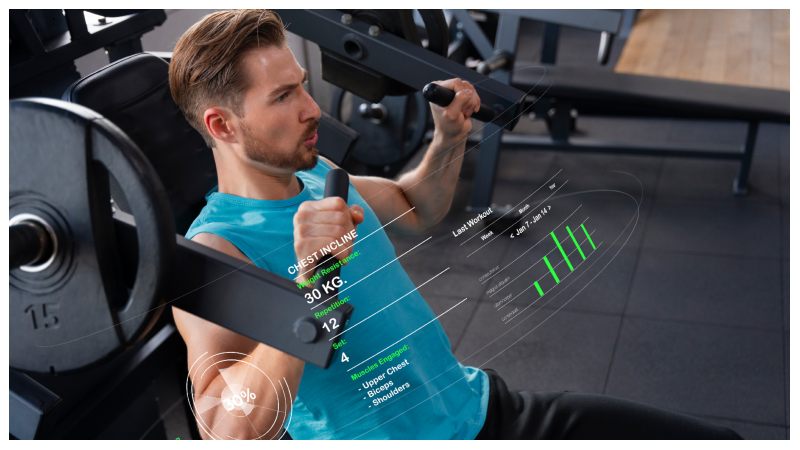
Running a fitness business today means you juggle more than just class schedules and member sign-ups. Scheduling software for gyms can change your workflow and save time while reducing those frustrating no-shows.
The right gym management software automates waitlists, payments, and reminders. Better scheduling means fewer mistakes and fewer “Hey, did I book this right?” messages.
We compared solutions to help you find the perfect fit. Spoiler alert: fitness appointment software from Bookeo takes the top spot as the best tool for fitness businesses.
Bookeo
Bookeo Overview and Best For
Bookeo stands out among the top fitness scheduling software because it brings all the tools your fitness business needs into a single, easy-to-manage platform.
Unlike other fitness scheduling software that makes you juggle separate apps for payments, reminders, and client records, bookeo.com streamlines all bookings and client management seamlessly.
Whether you run a solo personal training service, a boutique studio, or multiple franchise locations, this software scales effortlessly without complicated upgrades, making implementation and daily management a breeze.
Staff members get access controls that limit what they can view and manage. This prevents scheduling conflicts when multiple instructors share the same calendar.
Bookeo Key Features for Fitness Businesses
Immediate availability sits at the core of this gym management software. Clients book sessions 24/7 from any device, while your calendar updates instantly.
Double bookings become a thing of the past. You won’t miss opportunities because someone called after hours.
Bookeo integrates with Stripe, Square, and PayPal for payments without charging commission fees on top of standard gateway rates.
You set the rules: require full prepayment, collect deposits, store cards on file, or allow pay-later options.
Square POS handles in-person payments and syncs with online transactions automatically. Financial records stay combined in one dashboard.
Digital waivers solve the paperwork problem. Clients sign online before class or scan a QR code at your front desk using the Kiosk app.
Signed waivers link directly to customer profiles and bookings. The system sends automatic reminders to anyone who hasn’t completed theirs. Each signature captures a timestamp and IP address for legal compliance.
Calendar synchronization works with Google Calendar, iCal, Outlook, and Office 365. Personal appointments block booking slots automatically.
This prevents those awkward moments when you’re double-booked for your kid’s recital and a client session.
Automated communications run on autopilot. Confirmation emails are sent right after booking. SMS and email reminders go out before sessions and cut no-show rates.
Bookeo Pros
- Flat monthly fee with no hidden commissions or percentage-based charges
- Self-service booking reduces phone calls and administrative time
- Supports multiple locations, staff schedules, and service types at once
- Mobile-responsive booking works naturally on smartphones and tablets
- Detailed reporting tracks revenue, attendance, cancellations, and customer priorities
- Google Analytics and Adwords integration measures marketing campaign performance
- Waitlist management fills canceled spots automatically
- Multi-language support accommodates non-English speaking clients
- API access available for custom integrations
Reservio
Reservio Overview and Best For
Reservio positions itself as an all-in-one solution built for small service businesses like fitness studios, gyms, and personal trainers. The platform serves over 300,000 businesses across 130+ countries.
Pricing starts with a free tier offering 40 bookings monthly, while paid plans begin at €7.49 per month (around $8.00 USD).
Reservio targets fitness professionals who need more than simple scheduling. Personal trainers managing one-on-one sessions, yoga instructors running group classes, and multi-location gym chains all find what they need here.
The system works well for in-person training, hybrid models, or virtual sessions.
Reservio Key Features
Every Reservio account has a custom booking website at no extra charge. Clients browse services, filter by category, check instructor availability, and complete bookings without switching apps.
The website updates in real time and eliminates double-booking headaches. To name just one example, someone reserves a 6 AM spin class, and that slot disappears from availability right away. Automated reminders tackle the no-show problem head-on. Reservio’s data shows that reminders cut no-shows by up to 75%, which translates to a profit increase of around 30%. SMS and email notifications go out before appointments and keep classes full while revenue stays predictable.
The mobile app for iOS and Android lets fitness business owners manage operations from anywhere. Check today’s schedule between client sessions, approve staff time-off requests, or adjust class capacity limits without opening a laptop.
Trainers access their personal calendars, view attendance records, and communicate with clients on the go.
Payment processing handles both online transactions during booking and in-person payments at your facility. The integrated POS system links payments to specific bookings and memberships, which simplifies financial tracking. Clients purchase class packages, monthly memberships, or single sessions through secure checkout.
Team management features coordinate multiple instructors across different locations. Set individual schedules, track performance metrics, and manage availability without endless back-and-forth texts. Client profiles store workout history, membership status, and booking patterns in searchable databases.
Statistical dashboards surface useful information. Track which classes fill fastest, identify top-performing trainers, monitor cancellation trends, and spot revenue opportunities.
The system flags attendance rates and emphasizes popular services, which helps you adjust offerings based on actual demand rather than guesswork.
Reservio Pros
- Free tier supports growing businesses without upfront investment
- The booking website comes with every account; no separate web development is needed
- Multi-language support and international customer care
- Loyalty programs enable memberships, punch cards, and prepaid packages
- Calendar sync with Google, iCal, and Outlook prevents scheduling conflicts
- Team coordination tools reduce administrative time by up to 6 hours weekly
- Transparent pricing without hidden transaction fees
- Security features have 128-bit SSL encryption for client data
Hostme
Hostme Overview and Best For
Hostme takes a different route than traditional software. This cloud-based platform was built for restaurants originally.
It adapts reservation and table management systems to fitness centers that manage defined spaces and scheduled sessions.
Evgeny Popov founded Hostme in 2014. The platform now serves businesses in more than 50 countries.
Fitness businesses that operate with spatial considerations benefit most from this approach. Studios offer multiple class types.
Fitness centers have equipment zones that require reservations. Facilities host special workshops alongside regular sessions.
The platform suits venues with smoothie bars or supplement counters particularly well. The integrated ordering system streamlines both class bookings and product sales.
Multi-location franchises gain centralized management across all studios.
Hostme Key Features
The reservation system accepts bookings 24/7 through your website, social media channels, or Hostme’s dedicated reservation site. Immediate updates prevent double-bookings while clients schedule from anywhere.
Hostme’s internal data shows that businesses using the platform see a 19% increase in total sales, 24% boost in covers, and 43% reduction in no-shows.
Space management replaces traditional table assignments with fitness-specific applications. Visual floor maps let you assign training areas with one click.
You can check zone status and track occupancy across customizable layouts instantly. Server rotation features translate well to fitness environments.
They distribute clients among instructors and track performance metrics in real time.
Waitlist management sends SMS notifications when spots open up.
This eliminates bulky pagers and physical wait areas. Clients add themselves to digital waitlists online and receive accurate wait estimates. They get text alerts the moment their slot becomes available.
The guestbook function stores client preferences, special requests, birthdays, and visit history. To cite an instance, you can flag a client’s knee injury or note their preference for morning classes.
Marketing campaigns pull from this first-party data. You can segment audiences by visit frequency, party size, or custom tags, then send personalized messages via email, SMS, or WhatsApp.
Event management handles workshop ticketing and crowd flow monitoring. You can sell tickets in advance and use existing floor plans without additional setup.
Special fitness events can be coordinated without switching platforms. The analytics dashboard tracks reservation volumes, wait time averages, server utilization, and cancellation patterns through exportable CSV reports.
Pricing follows a flat monthly model. Mezzo costs $109 USD monthly with unlimited parties and one free event. Grande runs $169 USD with five free events and POS integration.
Both include SMS messaging, complete analytics, and online ordering. A 2-week free trial requires no credit card.
Hostme Pros
- User-friendly and requires minimal staff training
- Cloud-based access from any device supports multi-location operations
- Customizable floor plans and menus adapt to different event types
- Transparent pricing with no per-cover fees or hidden commissions
- Available in eight languages, including English, Spanish, French, Italian, and Portuguese
- Automated reminders via email and SMS reduce no-shows
- Built-in marketing tools use customer data to run targeted campaigns
- Deposits and cancellation fees protect against last-minute cancellations
Eat App
Eat App Overview and Best For
Eat App moves away from typical gym scheduling software. This cloud-based platform focuses on restaurant and hospitality venue management and serves 5,000+ establishments in 90+ countries.
The system was founded in 2015 and has seated over 100 million guests worldwide. Eat App finds its niche in hybrid fitness venues.
Fitness centers with attached cafes or smoothie bars gain the most value here. The platform excels at managing reservations and guest experiences while handling food service operations.
Studios that host nutrition workshops or wellness retreats with catering components can use the restaurant-focused features. But pure fitness scheduling software for gyms requires different functionality.
Eat App Key Features
Commission-free bookings arrive through your website and Google profile, plus social media channels. Phone and email reservations integrate into the same system and create a unified booking flow.
The platform cuts no-shows by 18% through deposit requests and cancellation fee options.
Guest profiles update after each visit and track priorities, notes, tags, and spending patterns.
Marketing campaigns segment audiences based on visit history or birthdays. Automated surveys collect feedback post-visit, with response rates that jump 300% according to platform data.
Table management replaces traditional class scheduling and optimizes floor layouts with seating capacity. The waitlist feature manages walk-ins with SMS notifications when spots open.
Shift planning tools coordinate staff schedules across multiple locations.
Integration compatibility spans existing POS systems and phone providers, plus payment processors. Pre-payment options secure bookings upfront for special events.
Eat App Pros
- Zero commission fees on any reservation channel
- 90% reduction in no-shows reported by users
- Up-to-the-minute customer data ownership without marketplace restrictions
- Cross-device sync for iPhone and Android, plus web browsers and iPad
- Acquired ReserveGo, India’s largest B2B table management platform
- 21% increase in online reservations
- WhatsApp integration for reservation modifications
- Custom event pages with upfront ticket sales
TouchBistro Reservations
TouchBistro Reservations Overview and Best For
TouchBistro Reservations operates on Apple’s iOS platform and iPads alone. The platform targets restaurant operations rather than fitness scheduling software for gyms.
The platform serves single and multi-location independent restaurants seeking predictable costs. Pricing sits at $229 USD monthly for the complete feature set, with zero per-user charges.
Fitness centers require a different booking logic than dinner reservations.
Restaurants using TouchBistro Reservations report a 24% jump in monthly transactions within the first three months.
Wynona, a Toronto restaurant, increased table turns by 33% after implementation. The system manages table status, floor plans, and dining capacity through tight POS integration.
But translating “table management” to fitness class scheduling software creates friction. Classes operate on fixed schedules with capacity limits, not rolling table availability.
TouchBistro Reservations Key Features
The subscription model delivers a full feature suite without surprise fees eating into margins. Two-way SMS and email communication connect establishments with guests immediately.
Clients confirm bookings, cancel if needed, or message about running late. Automated reminders reduce no-shows by sending confirmations the evening before. This prevents empty seats, especially when you have high-end dining.
POS integration syncs naturally with TouchBistro’s point-of-sale system. Table status updates happen on their own by the time servers send orders to kitchens and close bills.
Front-of-house staff see accurate wait times without manual updates. Guest spending records update as well, and enable individual-specific service for regulars.
Staff can reference order history, suggest wines based on previous purchases, and reserve preferred tables. The TB Dine discovery platform publishes participating venues on its own and creates an additional reservation channel without extra fees.
Guests book through restaurant websites, Google Search, Google Maps, or the TB Dine mobile app. Floor plan optimization and guest status tracking help turn more tables during peak hours. Digital waitlist management replaces physical waiting areas.
Custom guest profiles store allergies and dining priorities like favorite wines. Special occasions, such as anniversaries, get tracked too. The marketing tools segment audiences by visit frequency and spending patterns. Reporting surfaces data on reservation trends, average spend per guest, and customer reviews.
TouchBistro Reservations Pros
Flat monthly pricing eliminates fluctuating per-cover charges that surprise restaurant owners. The iOS-exclusive platform means iPads handle all operations smoothly.
Full POS integration keeps front-of-house and back-of-house teams synchronized. Google integration captures reservations through search and maps directly.
Prepaid reservations and no-show fees protect against last-minute cancellations. Multi-location support scales from single restaurants to small chains. The TB Dine marketplace generates bookings without commissions, too.
Tablein
Tablein Overview and Best For
Tablein breaks the mold. Investopedia voted it Best Booking System for 2023. This cloud-based platform started in the restaurant world. Small fitness businesses found that there was a way to use it just as well to schedule classes.
Pricing starts at $49 USD monthly. The Growth plan delivers 150 monthly reservations. The Success plan unlocks unlimited bookings for busier operations. No long-term contracts lock you in. Cancel anytime.
Studios transitioning from paper booking systems appreciate the straightforward approach. Multi-instructor gyms benefit from updates that keep everyone synchronized in the moment.
To name just one example, Tablein’s automated reminder system cuts those losses substantially when struggling with no-shows.
Tablein Key Features
Automated bookings prevent double-booking headaches with availability updates that happen right away. Floor plan layouts transform into training zones within the booking calendar.
The client management system stores guest profiles in detail, where you can mark members as VIP, loyal, or blacklisted.
Deposit requirements and card authentication add booking security. Automated email and SMS alerts keep staff and clients updated throughout the process.
Built-in marketing tools run campaigns without separate subscriptions. Reporting tracks guests, no-shows, and first-time visitors through data you can use.
Desktop and mobile access means managing everything from anywhere. The cloud-based system eliminates paper trails and keeps data secure at the same time.
Tablein Pros
- Minimal training required due to user-focused design
- Customer support rated 4.9 out of 5
- Ease of use scores a perfect 5.0
- Simple three-tier pricing structure
- Cloud access from any location supports remote management
- No contracts provide flexibility to cancel
- Serves businesses across 50+ countries
- SSL encryption protects customer data
Cloudbeds
Cloudbeds Overview and Best For
Cloudbeds operates in hospitality territory, not gym scheduling software. Founded in 2012, this platform powers 26,000+ properties across 150 countries. Hotels, hostels, and vacation rentals are the foundations of the core user base.
Large fitness operations found the system works for multi-location management. Cloudbeds offers hotel-grade capabilities.
Fitness chains managing multiple studios benefit from centralized oversight. The platform combines operations, distribution, and guest experience into one system.
Studios wanting to merge class bookings with detailed revenue tracking and marketing automation should think about this option. Properties needing 300+ booking channel connections gain visibility advantages.
Cloudbeds Key Features
The commission-free booking engine delivers a mobile-first, two-step flow. One property owner stated: “I wanted a one-stop shop. 54% of our revenue now comes from direct bookings”.
Businesses save up to 30% in OTA commissions with each direct reservation. Built-in analytics, Google Tag Manager, and GA4 support lift conversions by up to 60%.
Payment processing maintains PCI compliance with secure, mobile-optimized transactions. The rate checker helps clients compare prices across distribution sites.
Automated email templates match brand identity and cover confirmation messages for different reservation types. The AI model Signals processes billions of data points each hour. It predicts booking patterns and automates 80% of manual tasks.
Cloudbeds Pros
Training time drops 88% with this platform. Users describe the interface as “so easy, a child could do it”. Businesses achieve a 25% average increase in direct bookings through integrated tools.
The system maintains 99.99% uptime. Staff members save 4-6 work hours weekly thanks to automation. Digital check-in features reduce client wait times.
Conclusion
Choosing the right scheduling system revolutionizes how you run your fitness business. We explored different platforms, and each has distinct strengths.
Fitness appointment software from Bookeo stands out as the best tool for most gym owners and studio managers. Flat pricing with zero commission fees and detailed features make it hard to beat. That said, your specific needs matter.
Solo trainers starting might prefer Reservio’s free tier. Multi-location chains could benefit from Cloudbeds’ centralized management. Test a few options and focus on what solves your biggest scheduling headaches. Commit to the one that fits your workflow best.